


Hub Video Downloader
4.5806.00 Reviews
App Specs
- Version
- 3.1.5
- Updated On
- License
- Free
- Downloads
- 10,000,000+
- Developer
- DOSA Apps
- Categories
- Video Players & Editors
- Platform
- Android
Screenshots
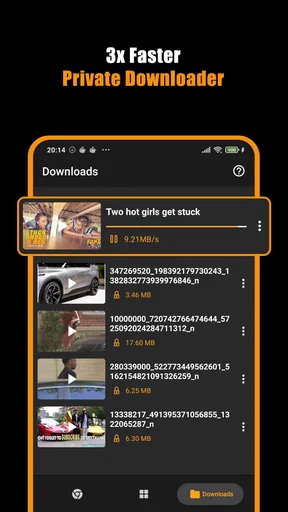
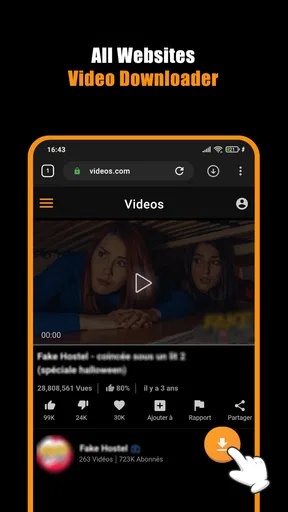
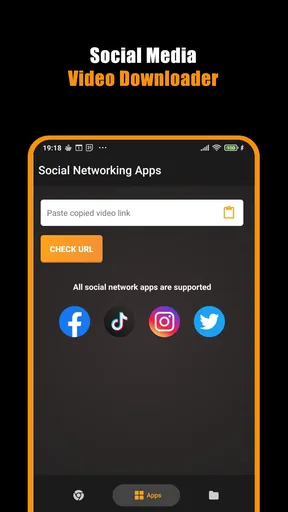
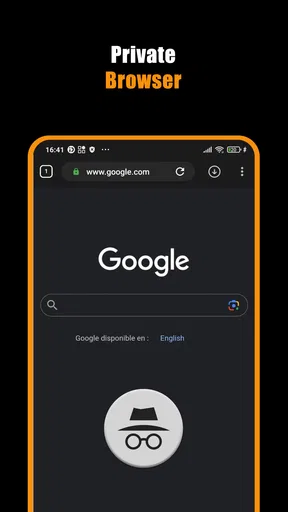
 Analysis by AppCompare
I tend to notice how much I rely on a stable connection only when a video buffers at the wrong moment. Hub Video Downloader is aimed at people who want a way to collect videos they find online and keep them available for later, rather than depending on a live connection every time they want to watch. I find that idea useful, but the everyday experience depends on more than the promise of a download: the source site, the network, available storage, and the rules around the video all matter.
Where the connection makes the difference
The key question for me is not simply whether a video can be saved, but how reliably I can get from finding it to having a file ready to watch. A download starts with an online source, so a weak signal or an unstable connection can interrupt the process before the app has anything to work with. When the network is behaving, the workflow feels direct; when it is not, I would first check the connection and the source page rather than assume the app itself is broken.
This distinction matters if you plan to save something shortly before a commute or a trip. I would not leave a long download until the last minute on a busy public network. I would open the video while the connection is steady, confirm that the source is accessible, and allow time for the file to finish before leaving. That simple habit is more useful than expecting any downloader to make a poor connection disappear.
Useful on the move, with a little planning
On a phone, a video saved ahead of time can be handy in places where reception is unreliable, such as a train route, a waiting room, or a room with patchy coverage. It can also help when I want to keep a tutorial close at hand while doing a task and do not want to depend on a page loading again. The practical benefit comes after a successful download, so I treat saving as preparation rather than something to start once I am already offline.
A realistic example is finding a short repair demonstration at home and wanting it ready in the garage, where I may not want to juggle a browser page and an uncertain signal. I would save it while connected, then check that the file is actually available before relying on it. That last check is easy to overlook: starting a download is not the same as finishing one, and a partial file is no substitute for a video that plays when needed.
When a download stalls or a source does not cooperate
Video-saving apps have a dependency that ordinary players do not: the source has to be reachable and compatible with the app’s process. Hub Video Downloader does not make every website a guaranteed source. If a video is not recognized, I would try opening the page again on a stable connection and check whether that particular site permits downloading. Repeating the same attempt over and over is unlikely to help if the source itself is unsupported or restricts saving.
I also recommend checking the result before closing the page or heading out. If a download appears stuck, give the connection a moment, then decide whether to retry rather than launching several copies of the same task. For a video I need urgently, using the source’s own offline option, when available, may be a more dependable route. The advantage of a dedicated downloader is flexibility; the trade-off is that its success can vary with the site.
Worth Reading Before You Choose

Flipboard Shows What News Apps Must Do Beyond the Feed

Switching to Android Auto Means Rethinking Your Driving Routine

Google Calendar Makes a Crowded Week Easier to Manage

Ludo King Makes the Most of the Minutes Between Plans

Baby Panda World Brings Quick Play to Modern Phones, but Its Game Library Feels Busy

ESPN’s Live Game View Makes Following Close Games Easier
Managing mobile data and storage
Choosing a lower video quality can be a sensible compromise when the goal is to follow a lesson rather than admire fine detail. A smaller file is generally easier to fit into limited phone storage, while higher quality makes more sense for footage where visual clarity matters. I would make that choice before saving a large batch, especially if I am using mobile data or keeping several videos on a device with little room left.
Batch downloads are convenient, but they also make it easier to lose track of how much data and storage a group of videos may use. I would use them for a short, planned collection rather than selecting everything that looks interesting. If you are on a capped mobile plan, waiting for Wi-Fi is the cautious option; if you do download over cellular, keep the queue modest and check the available storage first. These are practical habits, not a substitute for knowing your own plan and device limits.
Who will get the most from it
I see the strongest fit for people who regularly come across useful videos on varied websites and want a straightforward way to keep selected material together for later. Students reviewing demonstrations, hobbyists following visual instructions, and travelers preparing a small watch list may appreciate that kind of flexibility. It is less compelling if you mainly watch videos from one service that already offers a dependable built-in offline mode, or if you expect every link on the web to work without exceptions.
For occasional viewing, the simplest alternative may be bookmarking a page and streaming it later. That avoids filling a phone with files, but it depends on the page remaining available and on having a connection when you return. A service’s own offline feature, where offered, can be more integrated with that service; a general video player is better for playing files you already have. This app sits in a different part of the process: helping with saving from supported sources, rather than replacing every streaming service or media library.
If you've ever stumbled upon a video online and thought, "I wish I could save this for later," then Hub Video Downloader might just be your new best friend. I recently gave it a whirl, and here's the lowdown on what it's all about and how it stacks up in the world of video downloading apps.
First Impressions
Jumping into Hub Video Downloader was like diving into a pool of possibilities. The interface is sleek and user-friendly, which is always a plus in my book. No one wants to spend ages figuring out how to use an app, right? Everything is laid out in a way that even those who aren't tech-savvy can easily navigate. I found myself downloading videos within minutes, which is a testament to its intuitive design.
Features That Stand Out
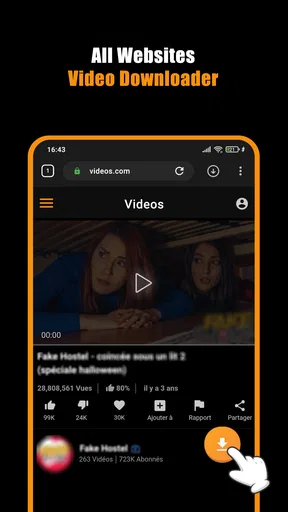
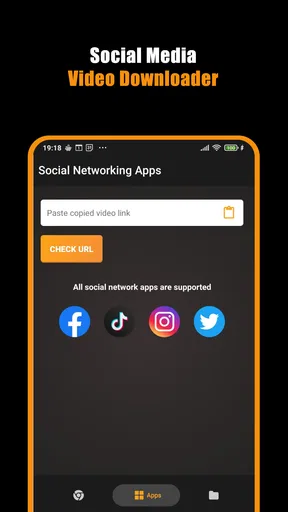
One of the standout features is its ability to download videos from a plethora of websites. From social media platforms to streaming sites, it covers a wide range of sources. This is perfect for those moments when you come across a must-watch video that you want to save for offline viewing.
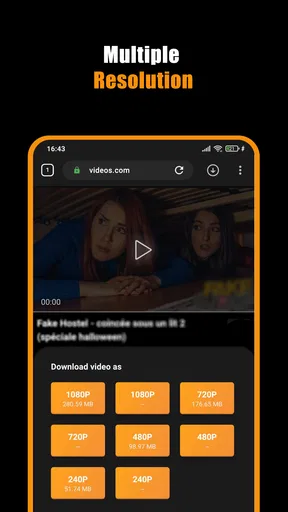
Another nifty feature is the option to choose video quality. Whether you want to save space with a lower resolution or go all out with HD, it gives you the flexibility to decide. Plus, it supports various video formats, which means less hassle when it comes to compatibility with your devices.
Speed and Efficiency
Let's talk speed. No one likes waiting around, especially in today's fast-paced world. I was pleasantly surprised by how quickly videos downloaded. Of course, download times can vary depending on your internet connection, but overall, it was a smooth experience. The app also allows for batch downloads, which is a game-changer if you're trying to save multiple videos at once.
For me, the useful detail is how those options work together: quality choice helps manage the size of a saved video, while batch downloading can save repeated effort when I already know which clips I want. I would still avoid starting a large queue without checking both my connection and available space. Convenience is real, but a queue is only helpful when I have time and room for the files it creates.
Security and Privacy
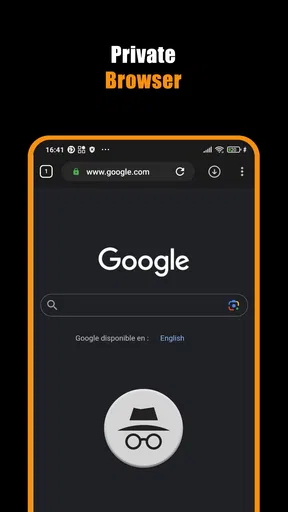
In these digital times, security is a top priority. The app assures users that it doesn't store personal data, which is a relief. With all the privacy concerns out there, knowing that it respects user privacy is a huge plus. It uses encryption to protect your data, adding an extra layer of security.
I would still use ordinary care when choosing what to download and which sources to trust. Saving a video does not change the rights or conditions attached to it, so I would keep downloads for appropriate personal use and respect the source’s rules. That is especially worth remembering with clips from social platforms, where a video being easy to view does not automatically mean it is free to redistribute.
Room for Improvement?
Now, while it's a stellar app, nothing's perfect. I did notice that some websites aren't supported. Hopefully, future updates will expand its reach even further. Also, while the app is free, there are some ads peppered throughout. They're not overly intrusive, but it's something to be aware of.
The app is from DOSA Apps and is listed in the video player and editing space, though its central appeal here is downloading rather than editing footage. It is free to install, with optional in-app purchases priced from $0.99 to $99.99 per item. I would treat the free starting point as a chance to see whether the supported sources match my habits before spending anything. If you only need occasional downloads, it is sensible to try the basic experience first and decide whether any paid option is worth it to you.
It is rated for Everyone, and the current release is version 3.1.2.2, with Android 8.0 as the minimum operating system requirement. Those details make it easier to judge basic compatibility before installing, particularly if you are setting it up on an older phone. The app has a 4.7 average from around 15 thousand ratings and more than 1 million installs. I see that as a sign that many people have tried it, not a guarantee that every site or network will behave identically for me.
Choosing it for the right job
The question I would ask before installing is what I actually want to save. If I often encounter clips from a range of sites and have a clear reason to keep them, a dedicated downloader can be more convenient than relying on browser bookmarks. If nearly all my viewing happens inside one subscription service, that service’s own offline tools may be simpler and more predictable. And if my main need is organizing or trimming videos I already own, an editor or file player is the better match.
For a first try, I would pick one short video from a source I use regularly, choose a quality that suits the purpose, and wait until the process completes. Then I would open the saved file before depending on it away from home. That small test answers several practical questions at once: whether the source works, whether the chosen format plays where I need it, and whether the resulting size feels reasonable. Once that workflow is comfortable, batch saving becomes easier to judge rather than something to trust blindly.
It is also worth separating connection problems from app limitations. If a page will not load in the first place, the downloader cannot extract a video from it; if other pages work but one does not, that points more toward source compatibility. When a task matters, I would keep a second plan, such as a bookmark or an official offline option. That is not a knock against the app; it is a realistic way to avoid depending on one route for every video.
My connectivity verdict
Overall, if you're in the market for a reliable video downloading app, Hub Video Downloader is definitely worth checking out. Its ease of use, combined with its robust features, make it a standout choice. Whether you're saving tutorials for offline viewing or capturing funny clips to share with friends, this app has got you covered.
My recommendation comes with a practical boundary: use it when you have a stable connection, a supported source, and a clear reason to keep a video. It is most useful when a little preparation can make later viewing easier, not as a magic fix for weak reception or a universal way to save every streaming clip. If that matches your routine, its simple approach and quality choices make it worth trying; if you need guaranteed access from a particular service, I would start with that service’s own tools instead.
Pros
- Fast download speeds enhance user experience.
- Supports multiple video platforms seamlessly.
- User-friendly interface for easy navigation.
- Allows batch downloading for efficiency.
- No intrusive ads interrupting downloads.
Cons
- Limited video quality options.
- Requires permissions that may concern privacy.
- No built-in video player included.
- Some features locked behind paywall.
- Occasional crashes on older devices.
FAQs for Hub Video Downloader
What platforms does Hub Video Downloader support?
Hub Video Downloader is designed to work seamlessly on both Android and iOS devices. This cross-platform compatibility ensures that users can easily download their favorite videos from a variety of sources, regardless of the device they're using. Always check the app store for the latest version to ensure optimal performance.
Is it legal to use Hub Video Downloader for downloading videos?
The legality of using Hub Video Downloader depends on the source of the videos and the terms of service of the content provider. It is crucial to download videos only for personal use and not distribute them without permission. Always check the specific guidelines of the video-sharing platform.
Does Hub Video Downloader support high-definition downloads?
Yes, Hub Video Downloader supports high-definition video downloads. Users can choose the quality of the video they wish to download, ranging from standard definition to full HD, depending on the availability from the source website. This flexibility ensures a high-quality viewing experience.
Are there any in-app purchases or advertisements in Hub Video Downloader?
Hub Video Downloader is free to use, but it may contain advertisements to support development. Some features might be locked behind in-app purchases, providing an ad-free experience or additional functionalities. Users can choose to upgrade if they find the extra features beneficial.
Can Hub Video Downloader download videos from all websites?
Hub Video Downloader supports a wide range of popular video-sharing sites, but not all websites are compatible. The app is continuously updated to support more platforms, but users should check if their preferred sites are supported before downloading. Always use the app ethically and legally.


